The MemberDash Login and Registration features help you create a smooth and customizable membership experience on your WordPress site. With simple shortcodes, you can easily add login and registration forms to any page, control redirect behavior, and tailor the user journey from start to finish. These pages are automatically created when you activate MemberDash for the first time. The guide below will walk you through customizing those pages.
Enabling MemberDash Login on a WordPress Page
To display the MemberDash login form, use the following shortcode:
[ms-membership-login]
- This shortcode shows the login form and a “Lost Password” link.
- If a user is already logged in, the shortcode will display a logout link instead.
Available Shortcode Parameters
You can customize the login form with these optional parameters:
title(Text): Add a custom title above the login form.show_labels(yes|no): Show or hide labels for the username and password fields.redirect_login(URL): The page users are redirected to after logging in.redirect_logout(URL): The page users are redirected to after logging out.
Example Shortcodes
- Display a custom title:
[ms-membership-login title="My Site's Login"] - Redirect users after login:
[ms-membership-login redirect_login="https://yourwebsite.com/dashboard"] - Redirect users after logout:
[ms-membership-login redirect_logout="https://yourwebsite.com/home"]
Enabling MemberDash Registration
Before using registration shortcodes, ensure your Membership List and Registration pages are properly set up:
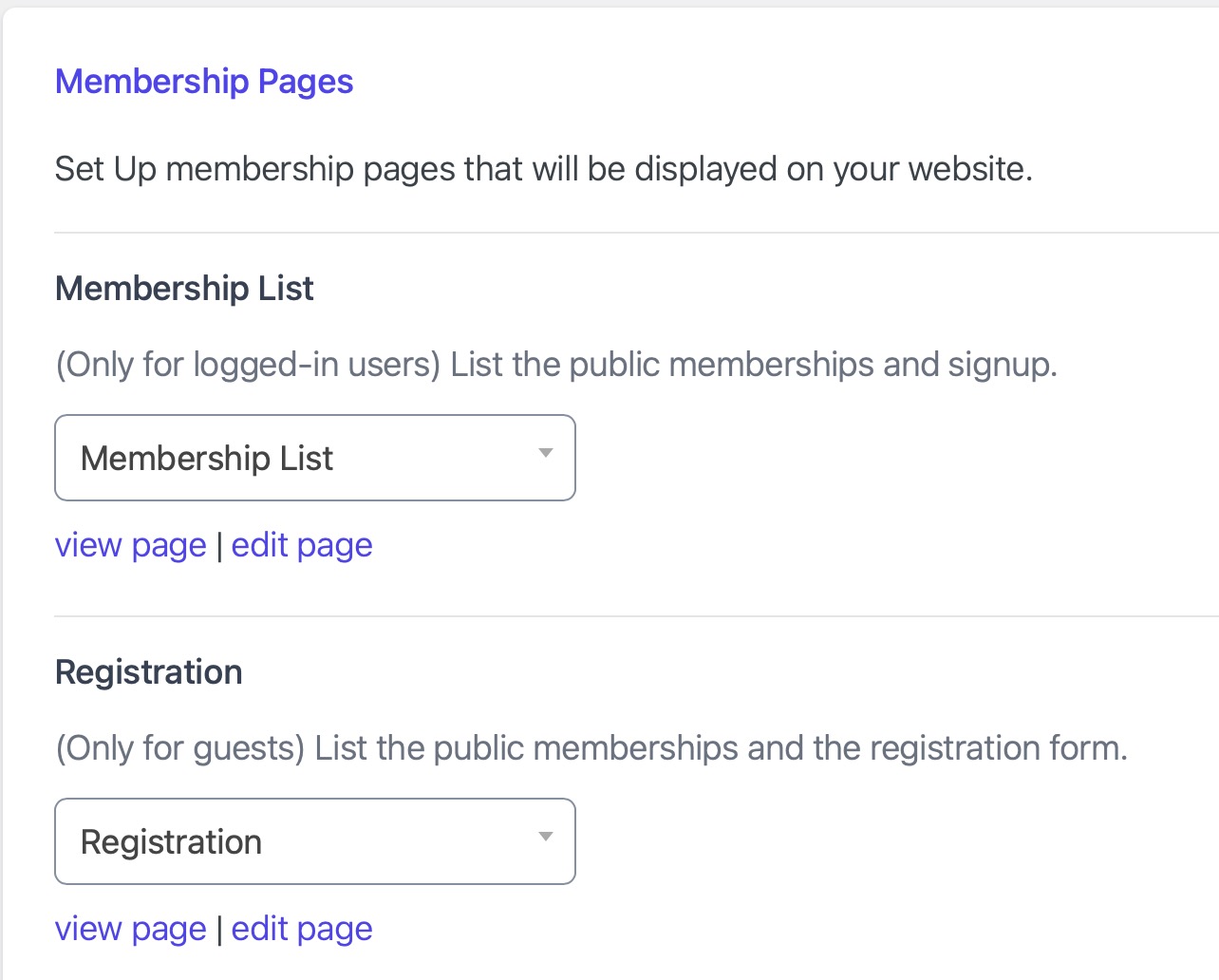
- Go to MemberDash > Settings > General > Membership Pages.
- Assign the appropriate pages for:
- Membership List
- Registration
- Click Save Changes to apply your settings.
Registration Shortcodes
You can place these shortcodes on any page to display registration options:
[ms-membership-signup]- Displays a list of memberships that the current user can sign up for.
[ms-membership-register-user]- Displays the registration form for new users.
Click to view additional Shortcode documentation.
Conclusion
MemberDash’s shortcode-powered login and registration tools make it easy to build a streamlined, customizable user experience. By configuring membership pages and using flexible shortcode parameters, you can fully control how users sign up, log in, and navigate your membership site.