Integrating MemberDash with WooCommerce can significantly expand your payment options and provide more flexibility for managing memberships. While MemberDash includes several built-in payment gateways, such as Stripe Connect, PayPal Checkout and PayPal Standard. But if you need additional payment gateways, advanced checkout customization, or features like bundled products and subscription management, WooCommerce is a powerful solution.
This guide walks you through the steps to connect MemberDash with WooCommerce to streamline your billing process and provide an enhanced purchasing experience for your members.
Requirements
Before you begin, make sure you have the following:
- WooCommerce installed and configured.
- WooCommerce Subscriptions extension installed (required for recurring payments).
Setting Up the Integration
1. Create a Membership
If you haven’t created a membership yet, follow the Membership Setup Guide to get started.
Important: When creating the membership, make sure to select the option “Use WooCommerce to sell this membership”.
This setting disables the built-in payment gateways and allows WooCommerce to handle all transactions.
2. Create a WooCommerce Product
- In your WordPress dashboard, go to Products > Add New.
- Choose either:
- Simple Product (for one-time payments)
- Simple Subscription (for recurring payments – requires WooCommerce Subscriptions)
- Enter pricing and product details.
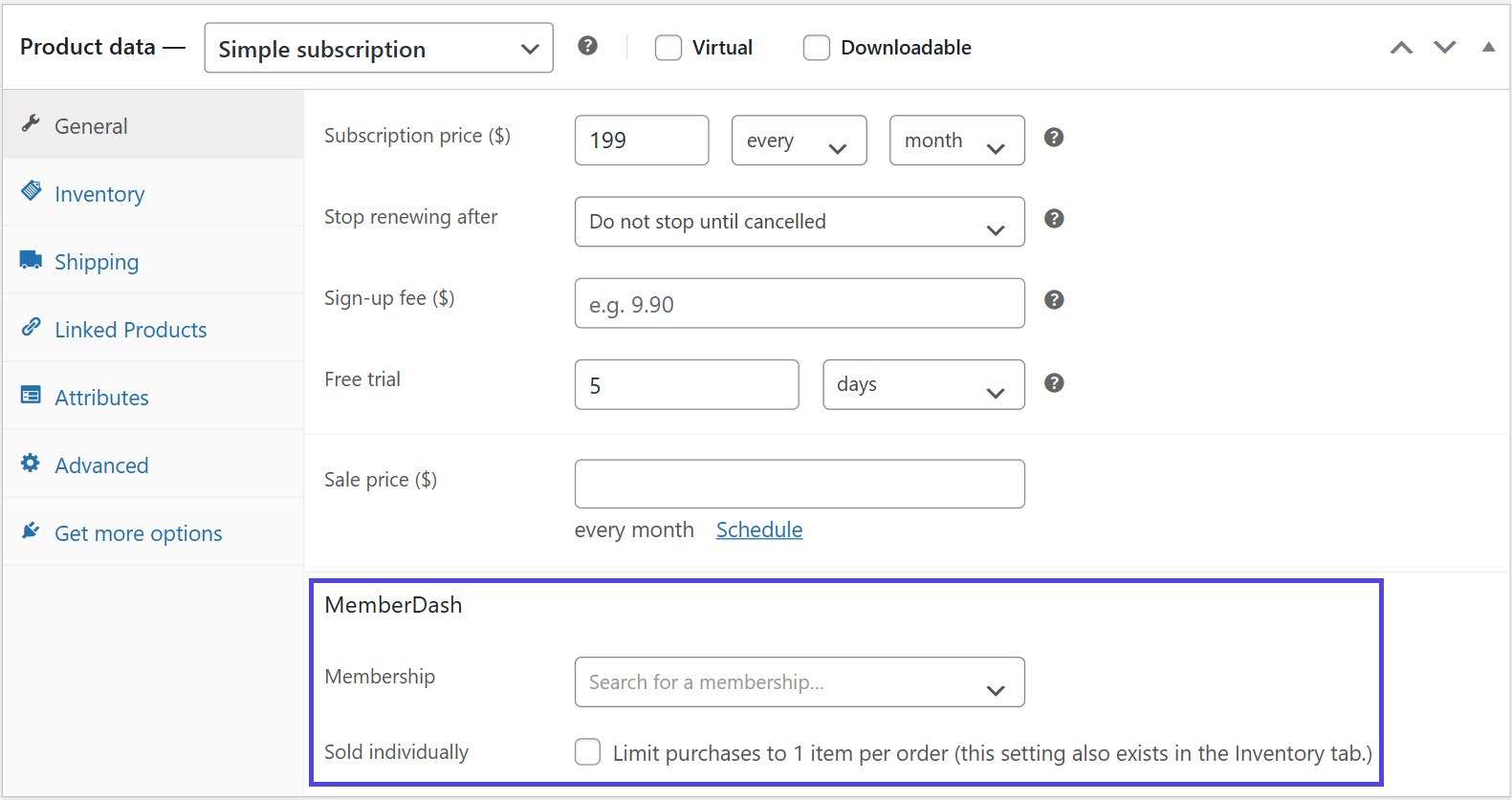
- In the MemberDash panel within the product settings, select the membership you want to associate with this product.
Updating an Existing Membership
You can link WooCommerce products to existing memberships at any time:
- Go to MemberDash > Memberships.
- Click Payment Settings for the membership you want to update.
- If you are associating a WooCommerce product for the first time, the product will automatically appear in the WooCommerce Product field.
Conclusion
Once the integration is complete, users who select a membership from the Membership List page will be redirected to the corresponding WooCommerce product page to complete checkout. This seamless connection allows you to take full advantage of WooCommerce’s payment flexibility while continuing to manage memberships through MemberDash.