Coupons are a great way to offer discounts and incentives to potential or existing members. In MemberDash, you can create and manage coupons to provide percentage-based or fixed-dollar discounts on memberships. This guide walks you through the process of creating a coupon and configuring its settings.
Creating a Coupon
To create a new coupon:
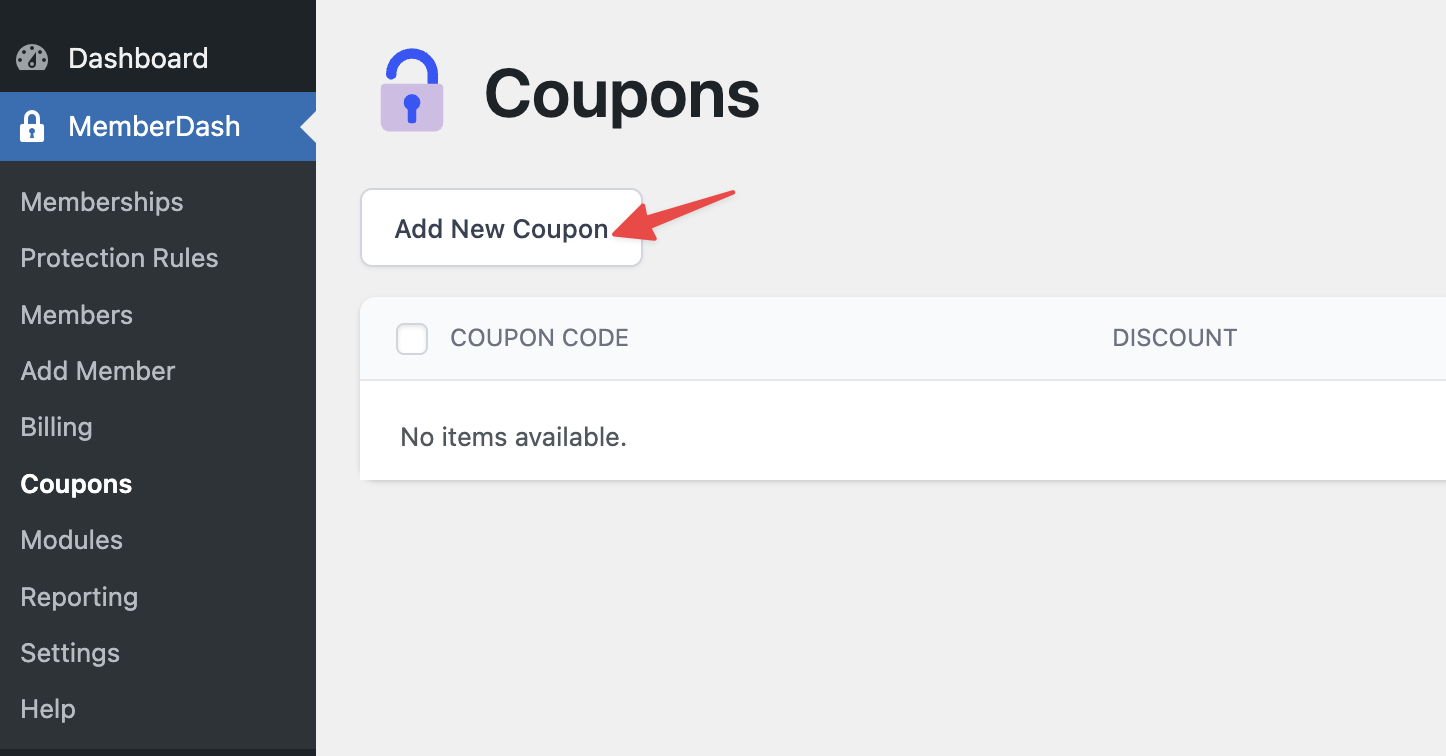
- Go to MemberDash > Coupons.
- Click the Add New Coupon button.
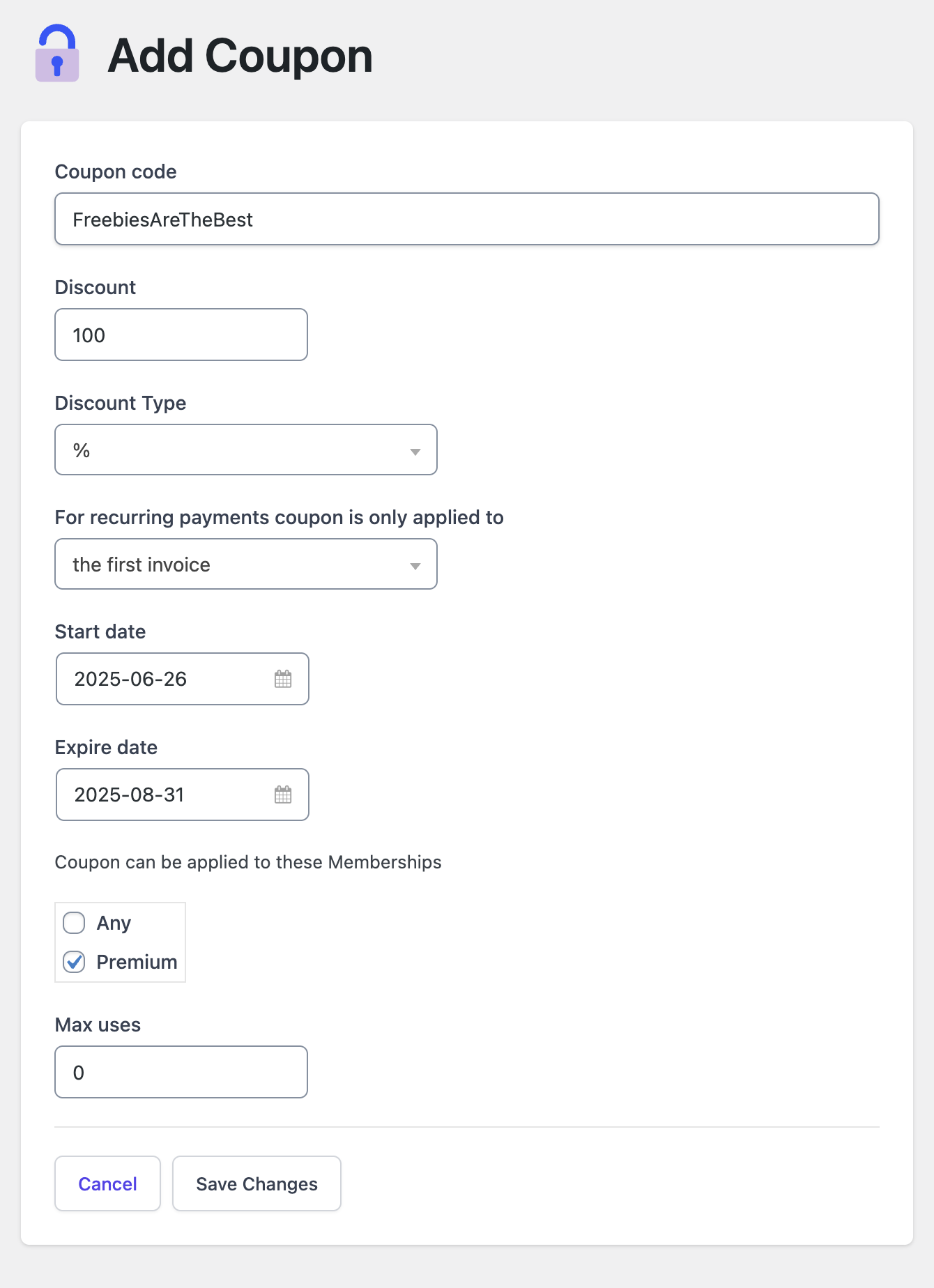
Coupon Setup Options:
- Coupon Name: Enter a descriptive name for the coupon.
- Discount Type: Select whether the coupon provides a dollar amount discount or a percentage discount.
- Start and End Dates: Define when the coupon becomes active and when it expires.
- Applicable Memberships: Choose which memberships the coupon applies to. You can select one or multiple memberships.
- Usage Limit: Set the maximum number of times the coupon can be redeemed.
Once the coupon is created and saved, it will be available for members to use during checkout, based on the settings you’ve configured. Managing coupons strategically can help attract new members, encourage renewals, and boost engagement.